
Download Forge Auto Clicker – Automation Tool, Productivity, Free APK
Overview
Forge Auto Clicker is a free automation utility designed for Windows users seeking to streamline repetitive tasks through automated clicking. The application serves as a practical solution for individuals engaged in gaming, software testing, or routine digital workflows that require consistent mouse input. By automating click sequences, it reduces manual effort, minimizes fatigue, and enhances efficiency in environments where precision and repetition are key.
The tool is particularly useful for gamers using titles like Minecraft and Roblox, where repetitive actions such as mining, crafting, or resource gathering can be significantly accelerated. It also supports broader productivity use cases, including form filling, data entry, or batch processing in desktop applications. The developer has positioned Forge Auto Clicker as a lightweight, accessible tool that prioritizes user control and customization without requiring advanced technical knowledge.
While specific details about the developer’s background were not provided, the app’s release date of February 22, 2024, indicates it is a recent addition to the automation tool ecosystem. Its focus on free updates and ongoing support suggests a commitment to long-term usability. In a market where automation tools often come with premium pricing or restrictive licensing, Forge Auto Clicker stands out as a no-cost alternative with a clear value proposition for users looking to optimize their digital workflows.
Key Features & Functionality
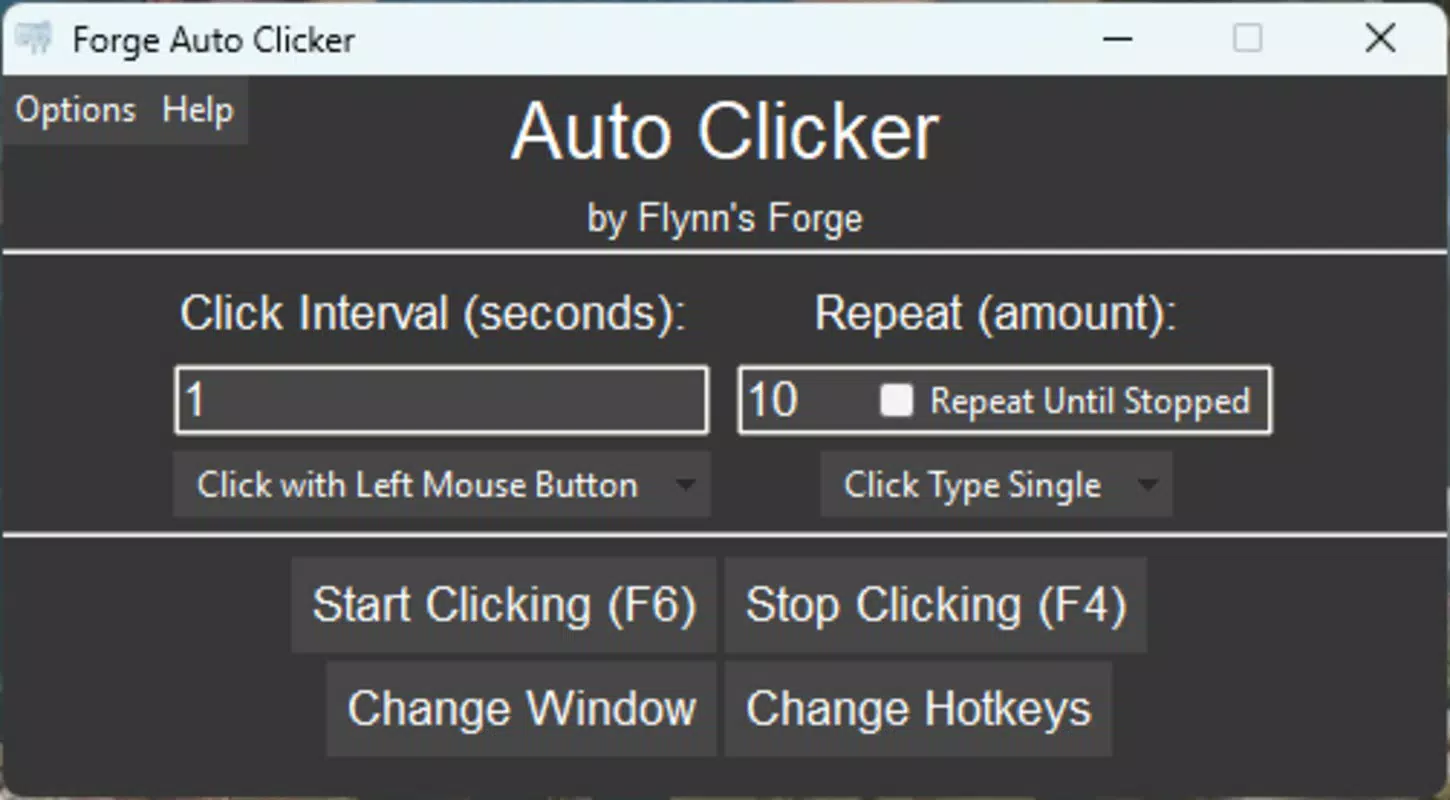
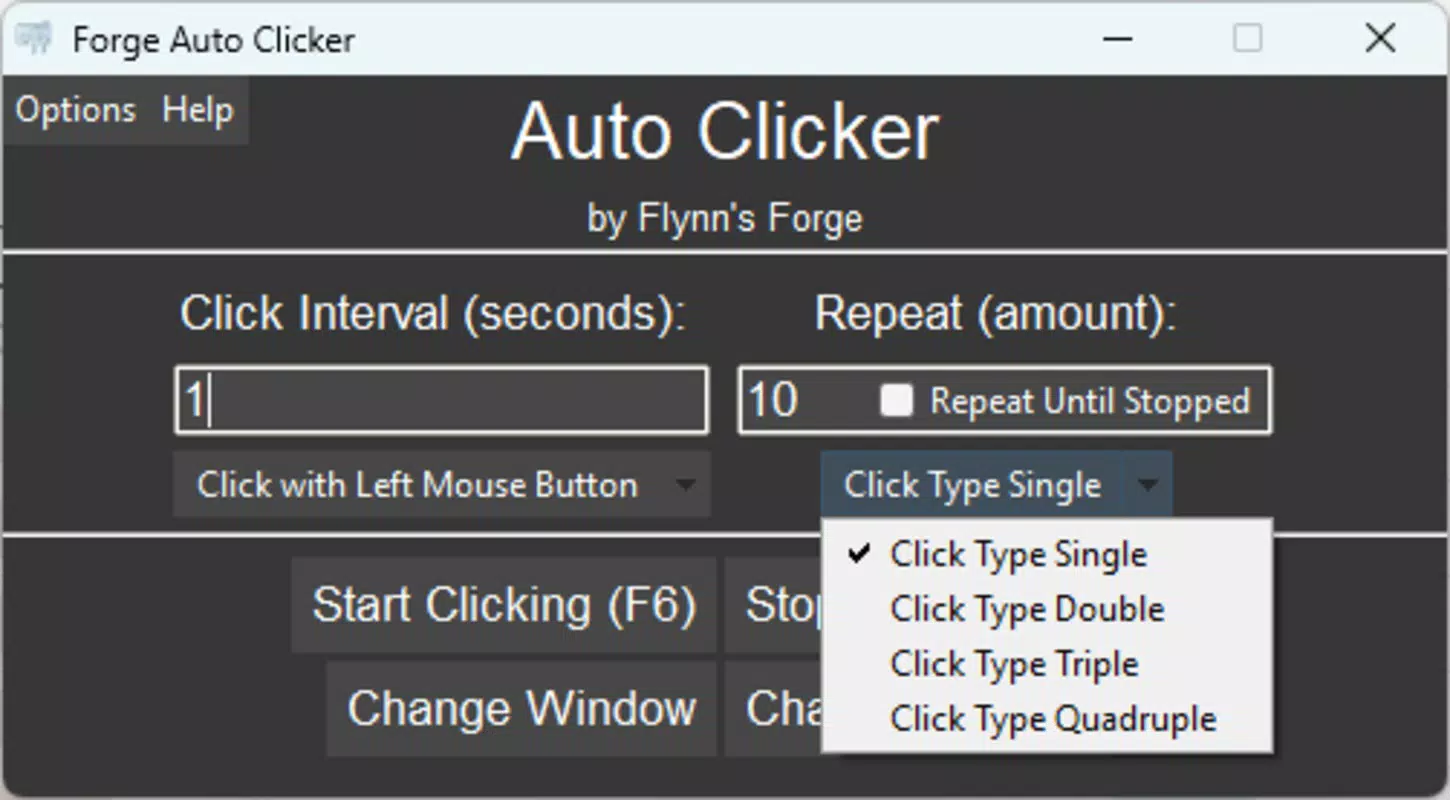
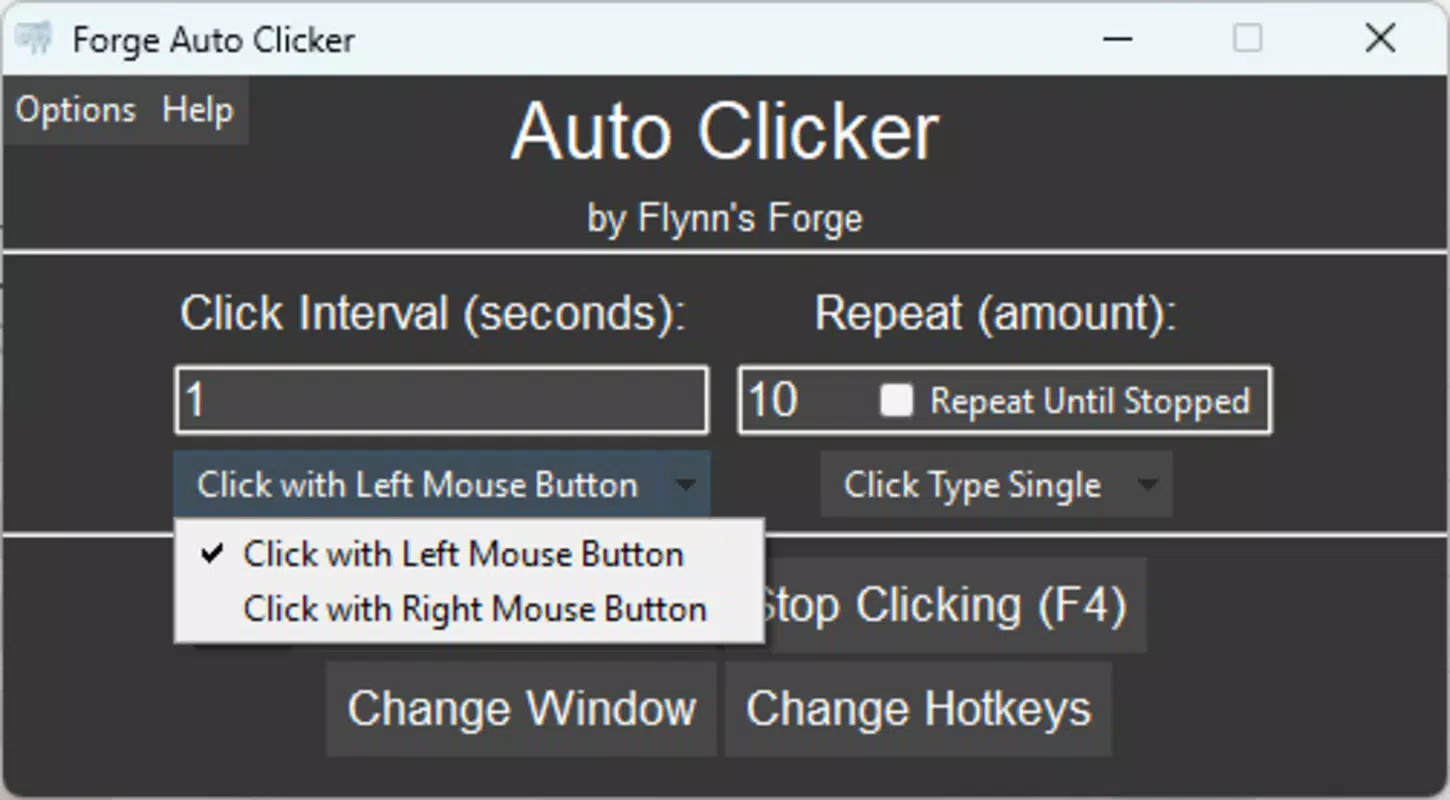
- Customizable Click Settings: Users can adjust click speed, frequency, and total number of clicks to match specific task demands. This level of control allows for precise automation tailored to individual workflows or gaming mechanics.
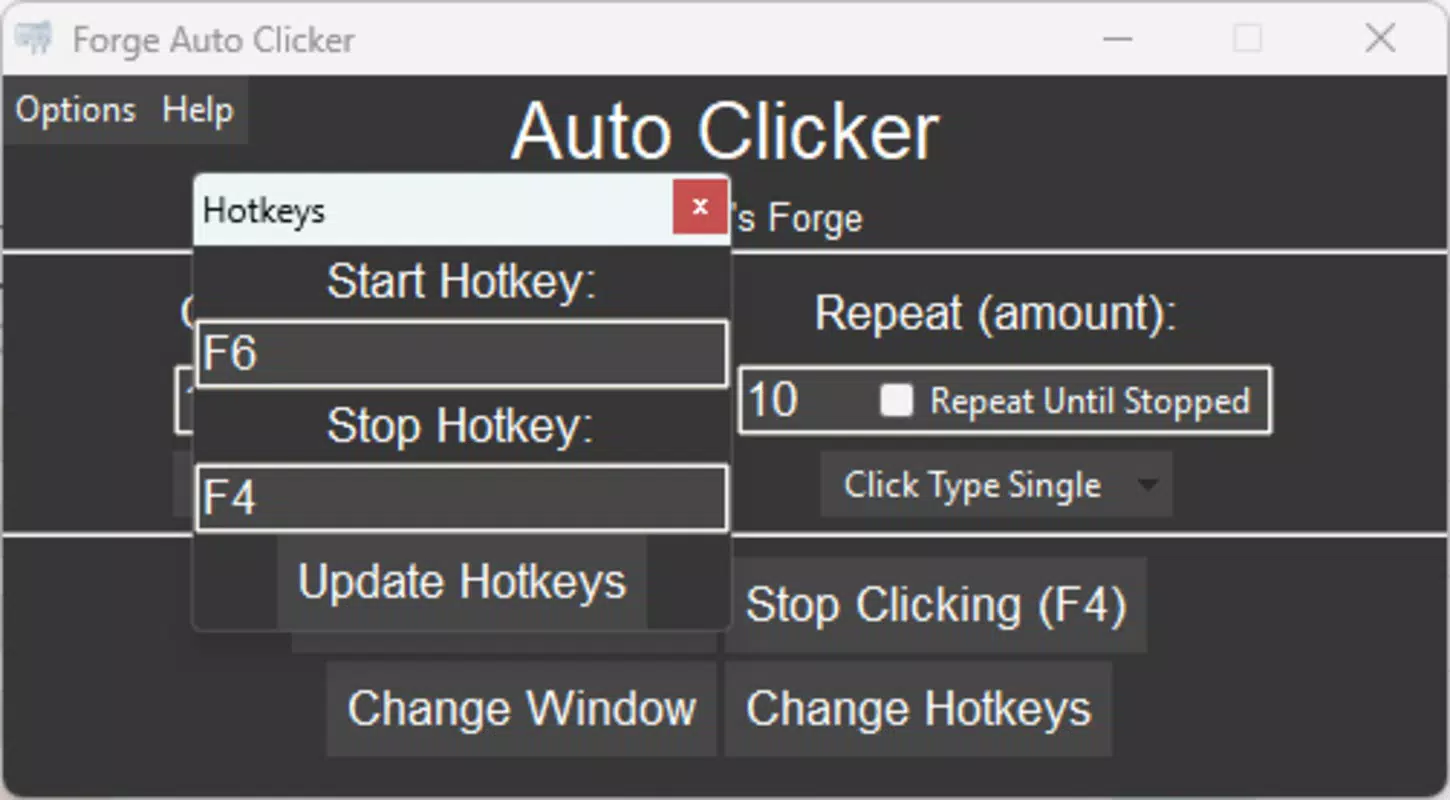
- Multiple Hotkeys: The app supports customizable key combinations to activate or switch between different click modes, enabling quick adjustments during gameplay or multitasking.
- Wide Compatibility: Forge Auto Clicker is designed to work across a variety of applications and games, including popular titles such as Minecraft and Roblox, ensuring broad usability across platforms.
- User-Friendly Interface: The tool features a clean, intuitive layout with clearly labeled menus and settings, making it accessible to both beginners and advanced users.
- Free Updates and Support: Users receive ongoing improvements and technical assistance at no cost, helping maintain functionality and adaptability over time.
These features translate into real-world benefits. For example, a player in Minecraft can set a custom click rate to automate block mining, freeing their attention for strategic decisions. Similarly, a data entry professional could use the tool to repeat mouse actions in a spreadsheet application, reducing time spent on repetitive tasks.
The ability to assign hotkeys allows users to toggle automation on and off without navigating complex menus, improving responsiveness during gameplay. The compatibility with major games ensures that users aren’t limited to niche applications. Overall, the feature set supports a flexible, user-driven automation experience that adapts to diverse needs while maintaining simplicity and reliability.
Interface, UX & Performance
Forge Auto Clicker presents a straightforward interface designed with usability in mind. The layout is organized into clearly labeled sections, with controls grouped by function—such as click settings, hotkey assignments, and mode selection. Navigation is linear and intuitive, allowing users to configure automation parameters with minimal friction.
The visual design prioritizes clarity over ornamentation, using consistent color coding and layout spacing to guide users through each step. Although the developer did not list formal performance metrics, the application appears optimized for low system resource usage, which is critical for maintaining performance during gameplay or extended use. Responsiveness is evident in the immediate feedback when settings are adjusted, with changes taking effect in real time.
Stability is supported by the inclusion of free updates and technical support, suggesting ongoing maintenance. While the developer did not specify compatibility with different device categories or screen sizes, the tool is built for desktop environments, where input precision and system access are standard. Users can expect consistent behavior across modern Windows systems, though detailed performance benchmarks were not disclosed.
Overall, the UX design reflects a balance between functionality and accessibility, making it suitable for users with varying levels of technical expertise.
Platform Compatibility & Technical Requirements
Forge Auto Clicker is designed for the Windows operating system. The application is available as a downloadable file, suitable for installation on compatible desktop systems. The app’s file size and minimum OS version were not specified by the developer.
As such, compatibility with specific Windows versions (e.g., Windows 10, 11) or hardware configurations remains unclear. The developer did not provide information on system requirements, including processor speed, RAM, or graphics capabilities. It is recommended that users ensure their system meets standard desktop software requirements before installation.
The app does not appear to be available on mobile platforms such as Android or iOS, as it is explicitly targeted at Windows users. For those seeking a mobile automation solution, alternative tools would need to be considered. The lack of detailed technical specifications means users should proceed with caution and verify system compatibility before downloading.
The tool’s release date of February 22, 2024, indicates it is a current release, suggesting it may be optimized for modern Windows environments.
Pros and Cons
- Completely free to use with no hidden costs
- Offers customizable click settings for precise automation
- Supports multiple hotkeys for quick mode switching
- Compatible with popular games and desktop applications
- Provides free updates and technical support
- Intuitive interface suitable for beginners and experienced users
- File size and system requirements not disclosed
- Not available for mobile platforms (Android, iOS)
- Specific OS compatibility details were not listed
- Performance benchmarks were not provided
- Developer background and company information were not shared
FAQ
Is Forge Auto Clicker safe to download and install?
The app is described as a free automation tool, but users should ensure they download it from official or trusted sources to avoid potential security risks. Always scan downloaded files with antivirus software before installation.
Can I use Forge Auto Clicker on my Android or iOS device?
Based on available information, Forge Auto Clicker is designed exclusively for Windows and is not available on Android or iOS platforms.
Are updates to Forge Auto Clicker free?
Yes, the developer confirms that users receive free updates and ongoing technical support as part of the app’s offering.
Does Forge Auto Clicker work with all games?
The tool is compatible with a variety of applications and games, including popular titles like Minecraft and Roblox. However, compatibility may vary depending on game-specific anti-cheat systems or platform restrictions.
What should I do if the app doesn’t respond or crashes?
Ensure your system meets basic desktop software requirements. If issues persist, contact the developer’s support team for assistance, as technical support is included with the free version.
Final Thoughts
Forge Auto Clicker delivers a compelling value proposition as a free, customizable automation tool for Windows users. Its combination of adjustable click settings, hotkey support, and broad compatibility makes it a practical solution for both gamers and productivity-focused users. The clean interface and commitment to free updates enhance its long-term usability and user satisfaction.
While the lack of detailed technical specifications limits full transparency, the app’s core functionality is well-executed and focused on real-world use cases. It stands out in a crowded market by offering robust features without cost barriers. For anyone seeking to reduce repetitive manual input in games or daily workflows, Forge Auto Clicker provides a reliable, accessible option.
Its recent release date signals active development and relevance in today’s digital landscape. Download Forge Auto Clicker now.


